
Recognizing Phishing Emails With Real Life Examples
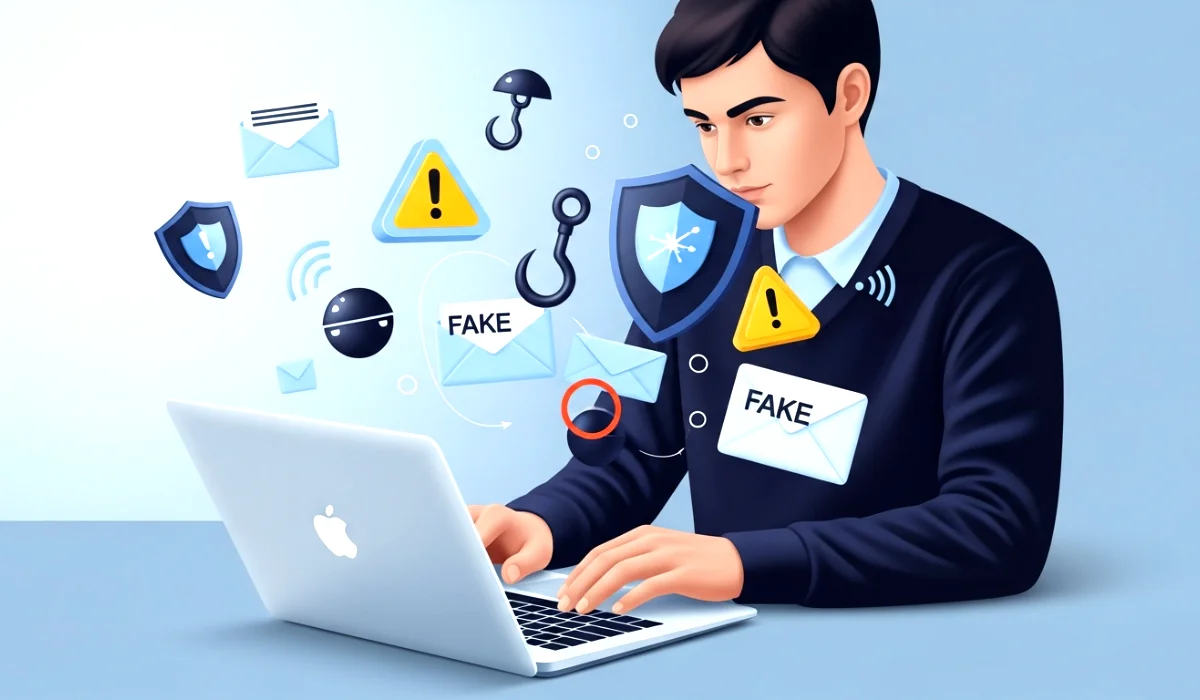
Have you ever opened your inbox and felt that tiny uneasy feeling when an email looks real but something feels off? Maybe it claims your Netflix account is suspended or your bank detected suspicious activity. I still remember the first time I almost fell for one. It was late at night, I was tired, and an email popped up saying my PayPal account was limited. The logo looked real, the wording felt professional, and for a second, I hovered my mouse over the link ready to click. Something stopped me. Call it intuition or luck, but that tiny pause saved me from a huge headache.
And that’s why recognizing phishing emails is such an important skill today. Scammers are getting smarter, inboxes are getting noisier, and honestly, even the savviest tech users sometimes slip. So if you’ve ever worried about missing something, or feared clicking the wrong link, you are not alone. Now let’s dive deeper and break this down in a simple, friendly, human way with real life examples that everyone can understand.
What Is Phishing and Why It Still Works
Before we get into those real life examples, let’s clear the basics. Phishing is a type of online trick where scammers pretend to be trusted companies or people to steal your personal information. It might be your login details, bank info, OTP, password, or even access to your entire device.
But here is the thing. Phishing still works because it plays with human emotions. Fear, urgency, curiosity, trust. A well designed phishing email does not need advanced hacking. It only needs to catch you off guard at the right moment. Ever rushed through deleting emails? Ever opened something without thinking? That is exactly how scammers win.
A study from general security reports says millions fall victim every year. And honestly, most of us underestimate how real these emails can look. That is why recognizing phishing emails is no longer just tech knowledge. It is a life skill.
You can also read : Managing Digital Identity Across Dozens of Apps: A Practical Guide for Real People
Real Life Example 1: The Fake Bank Alert
Imagine waking up in the morning, still half asleep, and you see an email that says something like:
Subject: Urgent action required to secure your bank account
The message says your card has been temporarily blocked due to unusual activity. It sounds scary. The email uses your bank’s logo, colors, and even a similar looking domain. This makes many people click instantly.
But here is what the scammer hopes for. They want you to panic. They want you to click before thinking. If you do, you land on a page that looks like your bank’s website. When you enter your username and password, the scammers grab it.
When I got a similar email once, the first red flag was the sender’s address. It looked like this:
customerservice.mybankonline123 at mail support dot com
That tiny detail helped me realize it was fake. Real banks never contact customers like this, especially not from strange email addresses.
This is where recognizing phishing emails becomes easier when you slow down and look closely.
Real Life Example 2: The Netflix Subscription Scam
This one is extremely common. The email says your Netflix membership has expired or there is a billing problem. It includes a big red button asking you to update your payment info.
Here is why it works.
People love their Netflix shows. Nobody wants to lose access. So fear kicks in.
When I received one, everything looked perfect. Same colors, same design. But something felt odd. The greeting said “Hello user” instead of my real name. That was my red flag.
Streaming services almost always use your registered name. Scammers usually do not have it.
Real Life Example 3: The Amazon Delivery Problem
You order things online. Everyone does. Scammers know this and target it. The email says your shipment is stuck or your order needs address verification. This creates curiosity and urgency.
A friend of mine clicked on one thinking it was about her package. She later realized she had not even ordered anything that week. A simple moment of forgetfulness nearly cost her access to her Amazon account.
This example shows how emotionally targeted phishing scams are. Recognizing phishing emails becomes much easier once you learn to pause and verify instead of reacting emotionally.
Real Life Example 4: The Fake Job Offer
This one hits people when they are most vulnerable. You might be job hunting or exploring opportunities. The scammers send a message offering a high paying remote job. It looks like a real HR email.
They ask for your full details, resume, phone number, address, and sometimes even banking information for “salary deposit”.
One time I reviewed a phishing email someone shared. It promised a salary double the industry average. That alone should be a warning sign. If something feels too good to be true, it probably is.
How to Spot a Phishing Email Instantly
Once you understand these examples, spotting phishing attempts becomes easier. Here are simple things anyone can check.
1. Check the sender email carefully
Real companies use professional domains.
Fake ones often use:
- Random numbers
- Misspellings
- Free services like Gmail or Yahoo
2. Look for generic greetings
If it says “Dear customer” or “Hello user”, be careful. Real services usually use your name.
3. Beware of urgent language
Phishing emails love pressure.
Examples:
- Your account will be closed soon
- Immediate action required
- Payment failed
Urgency is a tool, nothing more.
4. Inspect links before clicking
Hover over the link without clicking.
If the URL looks suspicious or unrelated, do not open it.
5. Poor grammar or awkward sentences
Legit companies hire professionals. Phishing emails often have small errors or unnatural language.
6. Unexpected attachments
Never open attachments you did not ask for. They can contain harmful software.
7. Requests for personal information
No trusted service asks you to share your password, OTP, or banking details over email.
Common Tricks Scammers Use
Scammers are creative. Here are some common tricks to watch for.
1. Fake logos and designs
They copy real templates and colors to fool your eyes.
2. Slightly changed domains
Scammers use tricks like:
- gooogle dot com
- paypaI dot com (with capital i instead of lowercase l)
3. Emotional manipulation
They target your fears or excitement.
4. Pretending to be popular companies
Amazon, Apple, Netflix, PayPal, banks, courier companies. These are favorites.
5. Sending emails at odd times
Late night or early morning increases panic clicks.
Recognizing phishing emails becomes a skill once you know these patterns.
What To Do If You Clicked a Phishing Link
Many people panic if they click by mistake. Do not worry. Here is what you should do.
1. Do not enter any information
Close the page immediately.
2. Change your passwords
Start with the email linked to the phishing attempt.
3. Enable two factor authentication
This adds an extra layer of protection.
4. Scan your device
Use a trusted antivirus to check for harmful files.
5. Contact the real company
Inform them so they can guide you further.
6. Notify your bank if financial details were shared
Better to act early.
Why Recognizing Phishing Emails Matters Now More Than Ever
Everything we do today is connected to our inbox. Banking, shopping, entertainment, work. That makes email attacks one of the easiest ways for scammers to get in. Recognizing phishing emails is not just a tech tip but a safety practice. It saves time, stress, money, and sometimes even identities.
The good news is that once you learn the signs, you become almost immune to these tricks. You start to see patterns instantly. You start to question things you once ignored. And honestly, that is the best kind of digital confidence.
Final Thoughts on Staying Safe
Recognizing phishing emails with real life examples is the smartest way to protect yourself. Attackers will keep trying new tricks, but your awareness is your shield.
If an email ever feels suspicious, trust that feeling.
Pause.
Verify.
Think before you click.
Staying safe online is not about being perfect. It is about being aware and cautious.
If you found this guide helpful, share it with someone you care about. One share might save someone from a major scam.


4 Comments