Understanding IP Addresses in Simple Words
Have you ever tried to open a website, stream a movie, or connect your phone to Wi-Fi and wondered how your device magically knows where to go? I remember the first time my internet stopped working, and the support guy asked me, “Sir, what’s your IP address?” I froze. IP address? It sounded like some secret NASA code. But here’s the funny part it’s actually super simple once you understand how it works.
So today, let’s sit together like friends chatting over coffee and break down Understanding IP Addresses in Simple Words no tech jargon, no confusing formulas, just pure clarity. By the end of this guide, you’ll know what an IP address is, why it matters, how it works behind the scenes, and how to protect it.
What Is an IP Address? (Explained Like You’re 5)
Imagine your house. It has a unique address, right? If someone wants to send you a letter or parcel, they need your exact address to reach you.
Similarly…
An IP address is the digital address of your device on the internet.
IP stands for Internet Protocol, which is basically the set of rules that manages how data travels from one place to another online.
When you connect to the internet, your device is assigned an IP address so websites know where to send information.
If Netflix didn’t know your IP address, it would have no idea where to send the movie you clicked on.
Simple enough, right?
Why Do We Even Need an IP Address?
Let’s say you type “youtube.com” into your browser.
What happens next?
- Your device sends a request to YouTube’s server
- That request contains your IP address
- YouTube uses that IP to respond back
- The video loads on YOUR device not your neighbor’s, not your friend’s
Your IP address acts like your return address on the internet.
Without it, communication would break down entirely. The internet would turn into a chaotic maze with data flying around with no destination.
Types of IP Addresses (Explained Without Confusion)
There are a few types, but don’t worry I’ll break them down simply.
1. Public IP Address
This is the address assigned to your network by your ISP (Internet Service Provider).
It’s visible on the internet and shared by all devices connected through your router.
Think of it like your building’s main street address.
2. Private IP Address
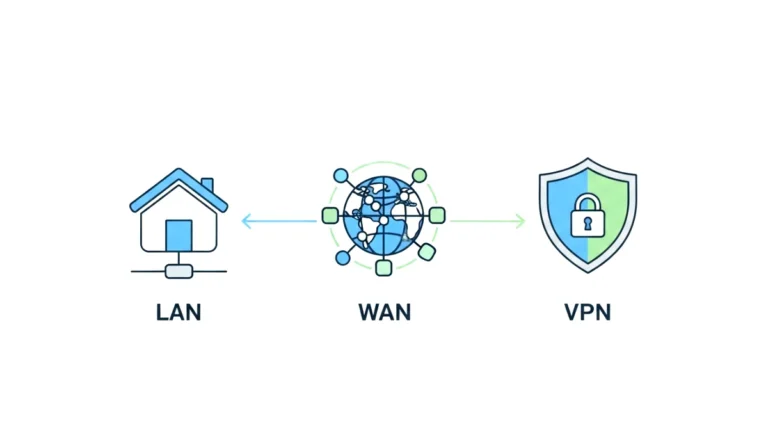
This is used inside your home network.
Your router assigns a private IP to each device phone, laptop, TV, smart speaker.
Think of it as apartment numbers inside the building.
3. Static IP Address
A static IP address does NOT change.
It’s manually assigned and stays constant.
Businesses often use these for servers or security cameras.
4. Dynamic IP Address
This changes automatically and most home users have dynamic IPs.
Your ISP rotates or reassigns them for efficiency and security.
IPv4 vs IPv6 (The Easiest Explanation You’ll Ever Read)
IPv4 (Older System)
Looks like this:
192.168.1.1
But there are only about 4 billion IPv4 addresses — and we’ve basically run out.
IPv6 (Newer System)
Looks like this:
2400:bb00:1106:0000:0000:0000:0000:00aa
IPv6 provides a huge number of addresses enough for every device in the universe several times over.
It’s like upgrading from a tiny phone contact list to unlimited storage.
How Does an IP Address Actually Work?
Let’s imagine you want to visit www.google.com.
- You enter the website into your browser
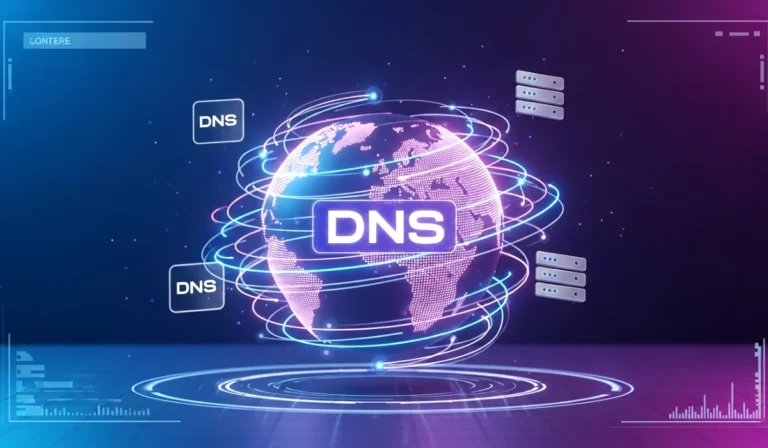
- Your device checks the DNS (Domain Name System)
- DNS converts the website name into a numerical IP address
- Your device sends a request to Google’s server
- Google identifies YOUR IP address
- Google sends the correct data back to your device
- The webpage appears like magic
Now here’s the interesting part:
Your device doesn’t communicate with website names.
It communicates with numbers (IP addresses).
DNS is like the phonebook that translates names into numbers.
Without DNS, you’d have to memorize long strings like 142.250.193.78 to visit Google.
Is Your IP Address Sensitive or Private?
This is a big question people ask.
Let’s clear it up.
Your IP address can show:
- Your city or region
- Your ISP (internet provider)
- Your approximate location
But it CANNOT reveal:
- Your exact home address
- Your name
- Your phone number
- Your personal identity
Still, you should protect it just like you lock your front door even though strangers don’t know your full address.
How to Check Your IP Address in Seconds
You can simply Google:
“What is my IP address?”
Or open your device settings.
Common Uses of an IP Address in Daily Life
You may not notice it, but your IP address is working constantly:
- Connecting to websites
- Enabling video calls
- Streaming movies
- Online gaming
- Using social media
- Sending emails
- Smart home devices
- Cloud storage
Basically, everything online relies on IP communication.
Can Someone Track You Using Your IP Address?
Not in the Hollywood hacking sense.
They can only see your approximate area, not your exact home.
Still, cybercriminals can misuse IP information for attacks like:
- DDoS attacks
- IP spoofing
- Attempted network breaches
So protecting it is a smart habit.
How to Protect Your IP Address (Simple Tips)
You don’t need to be a tech expert just follow these steps:
✔ Use a VPN
A VPN hides your IP by giving you a temporary one.
✔ Avoid clicking unknown links
Hackers often use links to log your IP.
✔ Use secure Wi-Fi
Public Wi-Fi is a playground for attackers.
✔ Update your devices
Outdated devices are easy to target.
✔ Use Firewalls
Built-in firewalls help block suspicious connections.
IP Address vs MAC Address (Easy Difference)
IP Address = Your home’s street address
MAC Address = Your device’s unique fingerprint
The MAC address never changes, while the IP can change.
Real-Life Example to Understand IP Addresses
Imagine you’re ordering pizza online.
- You select the restaurant website (like typing the domain)
- You place your order (like sending a request)
- You enter your address (like your IP address)
- The delivery guy uses your address to reach your home (server responds back)
If you gave the wrong address, you wouldn’t get your pizza.
Similarly, without the right IP address, you wouldn’t get your data from websites.
Why Are IP Addresses Important?
They help with:
- Device identification
- Location-based content
- Secure internet communication
- Tracking malicious activity
- Managing networks
- Personalization (like language or region)
Without IP addresses, the entire internet structure collapses.
Frequently Asked Questions (FAQ)
1. Is an IP address the same as a Wi-Fi password?
No.
The IP is your digital address. A Wi-Fi password is your network’s lock.
2. Can two devices have the same IP?
Inside your home, yes (one public IP).
But each device gets its own private IP.
3. Do IP addresses reveal your identity?
Not directly.
Your ISP holds that information, not random websites.
4. Does turning off Wi-Fi change your IP?
Yes, if you reconnect or switch networks.
Conclusion: Understanding IP Addresses in Simple Words
We’ve covered a LOT today, but hopefully in a way that felt smooth, friendly, and understandable. Now you know that an IP address isn’t some mysterious code it’s just your device’s digital address that helps you communicate online.
To recap:
- It identifies your device
- Helps websites send data to you
- Can be public or private
- Can be static or dynamic
- Comes in IPv4 and IPv6 versions
- Needs protection for privacy
Next time someone asks, “What’s your IP address?”
You won’t panic… you’ll actually know what they’re talking about!
If this helped you, try checking your own IP address today and explore the settings. It’s a fun little way to understand your digital footprint better.