
How to Keep Your Digital Life Backed Up and Safe Forever

Keeping your digital life backed up and safe forever is not just a smart habit. It has become a core responsibility in today’s world where our memories, financial files, documents, work data, passwords, identity records, and even our creative work often exist only in digital format. The moment a device stops working or gets attacked by malware, years of important information can disappear without warning. This blog is designed to help you understand how to keep your digital life backed up and safe forever with practical steps that you can begin using right away.
The goal is long term protection. You are not just saving files for one month or one year. You are creating a system that will protect your data throughout your lifetime. In this guide, you will learn the most effective storage strategies, the best tools, and the essential security practices that can keep your digital world organized, protected, and easily restorable at any time.
Why Long Term Digital Safety Matters
Many people treat backups as optional or something they will do later. The truth is that digital loss is more common than most people realize. Hard drives fail. Phones get broken. Laptops get stolen. Malware corrupts files. Cloud accounts get hacked. In some cases, people lose access to accounts because they forgot login details or did not add recovery options.
Thinking ahead about how to keep your digital life backed up and safe forever helps prevent such losses. It also protects you from disasters like ransomware, accidental deletion, or corrupted storage devices. When your personal and professional life rely on digital information, proper backup strategies give you stability and peace of mind.
Understanding the Three Layer Backup Strategy
One of the most reliable approaches to keeping your digital life backed up and safe forever is following the three layer backup method. This strategy ensures that your data stays safe even if one or two backup systems fail.
Layer 1: Local On Device Storage
This is the data stored on your phone, laptop, desktop, or tablet. It is the starting point and the most accessible location. Your device may already have SSD or internal storage where your files automatically live. However, this is not enough for long term safety because if your device is damaged or lost, everything disappears instantly.
Layer 2: External Backup Devices
External backup devices include:
- External hard drives
- Solid state drives
- USB drives
- Network attached storage (NAS)
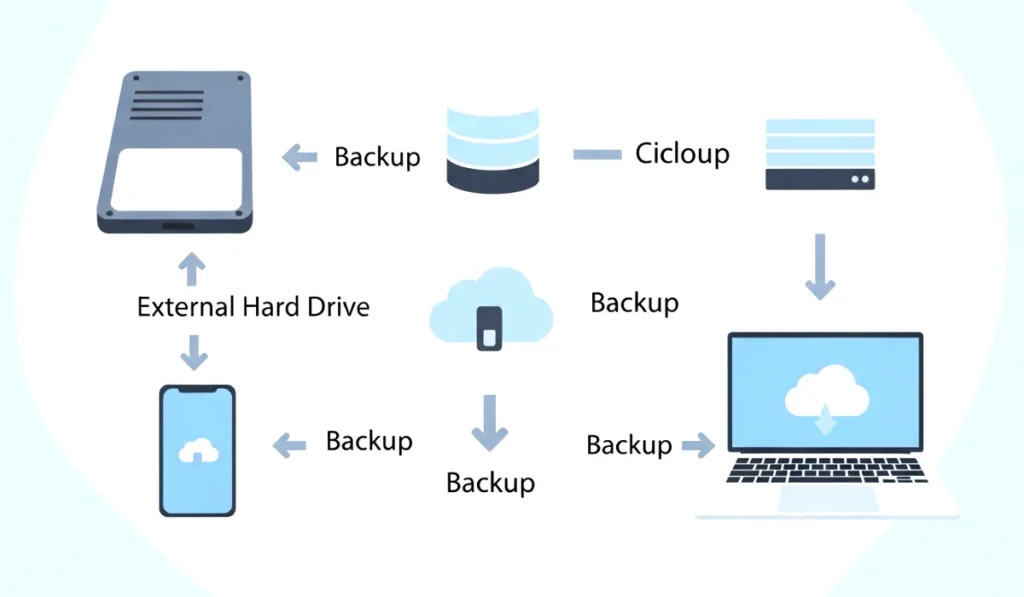
An external drive keeps a full copy of your important data offline. This protects you from online threats like hacking or cloud account breaches. It also gives you immediate access to your data even without internet. For long term safety, using at least one external drive is essential.
Layer 3: Cloud Storage Backup
Cloud storage is a remote backup stored on servers owned by large companies. These companies secure your data using advanced encryption and redundant hardware. Popular platforms include:
- Google Drive
- iCloud
- OneDrive
- Dropbox
- Mega
- Sync
- pCloud
Cloud storage ensures that your data remains safe even if your physical devices fail. Since files remain online, you can access them anytime from any device using your login credentials. For lifelong protection, cloud storage becomes one of the most reliable backup layers.
You can also read : Zero Trust Security: Will It Become The Default Enterprise Model By 2026
Choosing the Right Cloud Services for Long Term Safety
Cloud services vary in features and security. When you want to understand how to keep your digital life backed up and safe forever, you must choose a cloud provider with the right strengths.
Here are the factors that matter most:
1. Long Term Storage Stability
Choose companies known for long term service reliability. Major providers like Google, Apple, Microsoft, and Dropbox offer strong infrastructure and minimal service disruptions. Their data centers use multiple redundant systems to ensure that your files remain protected even when physical equipment fails.
2. Strong Encryption
Data should be encrypted both during upload and while stored on their servers. This protects your information from unauthorized access. Some platforms also offer end to end encryption, which means even the service provider cannot read your files.
3. Affordable Storage Plans
Storage will add up over time. Make sure the service you choose offers:
- Reasonable pricing
- Flexible upgrade options
- Annual plans that reduce cost
- Separate storage for photos and documents when possible
4. Multi Device Support
You should be able to access your files from phones, laptops, tablets, and web browsers. Multi device support makes it easier to stay organized and restore data if one device fails.
5. Automatic Sync and Version History
Version history allows you to restore older versions of files that were accidentally overwritten or corrupted. Automatic sync ensures that your latest work is always saved in the cloud.
How to Use External Drives Effectively
External drives offer some of the most reliable long term storage options. If you want to keep your digital life backed up and safe forever, using at least one external drive is essential.
Choose the Right Drive Type
There are three main options:
HDD (Hard Disk Drive)
Affordable and offers large storage capacity but more fragile.
SSD (Solid State Drive)
Fast, reliable, shock resistant, and ideal for backups.
NAS (Network Attached Storage)
Advanced option for storing data on your own network. Best for professionals and people with large amounts of media.
Follow the Two Drive Rotation Method
This technique uses two external drives. One stays connected for regular backups. The second stays offline or in a safe location. Every few weeks, you swap them. This protects you from physical damage or theft.
Store One Drive Off Site
Keeping one backup drive in a different location, like a trusted family member’s home or a safe deposit box, reduces risk in case of fire, flood, or burglary.
Organizing Your Digital Files for Easier Backup
A well organized digital life is easier to protect. Start by sorting your files into folders that make sense for your lifestyle. For example:
- Personal documents
- Work files
- Photos
- Videos
- Financial records
- Passwords and security information
- Projects and creative work
This structure makes the backup process smoother and helps you find files quickly when needed.
Protecting Your Accounts and Preventing Unauthorized Access
Staying backed up is not enough. Your digital life must also be secure. Learning how to keep your digital life backed up and safe forever includes preventing unauthorized access to your cloud accounts and devices.
Use Strong Passwords
Avoid simple combinations like birthdays or repeated characters. A strong password should include:
- Uppercase letters
- Lowercase letters
- Numbers
- Special characters
Enable Two Factor Authentication
Two factor authentication adds an additional layer of security. Even if someone steals your password, they cannot access your account without the secondary verification step.
Update Your Devices Regularly
Outdated software often contains vulnerabilities that hackers can exploit. Regular updates fix these weaknesses and improve your device security.
Use Antivirus and Firewall Protection
Malware can corrupt your data or steal your files. Antivirus software acts as a protective shield. A firewall prevents unauthorized access through your internet connection.
How to Protect Your Digital Photos and Personal Memories
Photos and videos are often the most emotionally valuable digital assets. Losing them can feel devastating. Here is how to keep your visual memories safe forever.
Use Cloud Photo Backup Services
Google Photos, iCloud Photos, and Amazon Photos offer automatic backup. They store your images in high quality and allow you to recover them even if your phone is lost.
Create a Master Photo Archive on an External Drive
Keep a copy of all your photos on a dedicated external SSD. Organize by year or event for easy access.
Consider Printing Your Most Important Memories
Printed albums and photo books give you a physical backup that lasts for generations.
Avoiding Common Backup Mistakes
Many people lose data because of simple mistakes. Here are the most common ones:
- Relying on only one backup
- Not testing backups regularly
- Using outdated drives
- Forgetting to update cloud passwords
- Storing sensitive files without encryption
By avoiding these mistakes, you strengthen your long term protection system.
How to Future Proof Your Digital Life
Future proofing means preparing your digital information to survive changes in technology. File formats evolve and storage devices become outdated. Your goal is to always keep your data accessible.
Use Universal File Formats
(H3)
Choose formats that work across all devices and software. For example:
- PDF for documents
- JPG or PNG for images
- MP4 for videos
- TXT or DOCX for notes
Migrate Data to New Storage Devices Every Few Years
As technology advances, older devices may stop working. Move your files to new drives every five or six years to avoid data corruption.
Keep Multiple Copies Using the 3 2 1 Rule
This rule is simple and effective:
- 3 total copies of your data
- 2 different storage types
- 1 copy stored off site
Following this strategy keeps your digital life nearly disaster proof.
Conclusion: Start Protecting Your Digital Life Today
Learning how to keep your digital life backed up and safe forever is one of the best investments you can make for your future. Your photos, documents, work files, and personal records deserve strong protection. With a mix of cloud storage, external drives, security practices, and well organized backups, you can build a system that keeps your data safe for many years.
Start by backing up your most important files today. Create your first cloud copy. Connect an external drive. Enable two factor authentication. Small steps build a strong foundation for lifelong digital security.




One Comment