
What Is a Phishing Attack Simple Examples and Prevention Tips
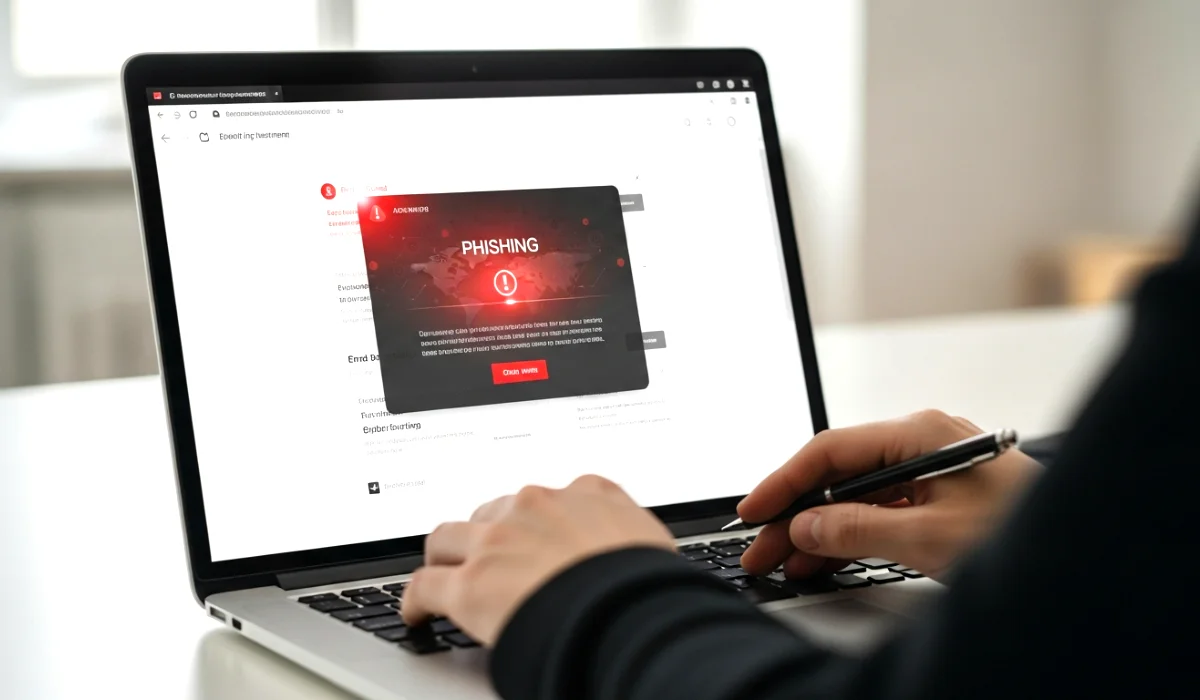
Have you ever opened your inbox and noticed a message that looked a little weird? Maybe it claimed your bank account was under review, or your Instagram login was compromised, or Amazon needed you to confirm a recent purchase. For a moment, your heart probably skipped a beat. You clicked the email, stared at the message, and wondered if something was wrong.
I remember a morning when I rushed through emails before my first cup of coffee. One email said my Netflix subscription had expired and I needed to update my payment info within one hour. And because I was half awake, my finger almost tapped the link. Almost. Something felt off though. The tone sounded urgent in a way Netflix never uses, and the sender’s address looked odd. I paused, took a breath, checked the official app on my phone, and surprise… my account was perfectly fine.
That little moment could have saved me from a serious problem. And that is exactly how a phishing attack works. It plays with your emotions, your urgency, and your trust. So if you have ever wondered what a phishing attack really is, how it happens, and how you can protect yourself without becoming a cybersecurity expert, grab a cup of coffee and let’s dive in. I promise this guide will make everything clear even if you are completely new to the tech world.
What is a phishing attack
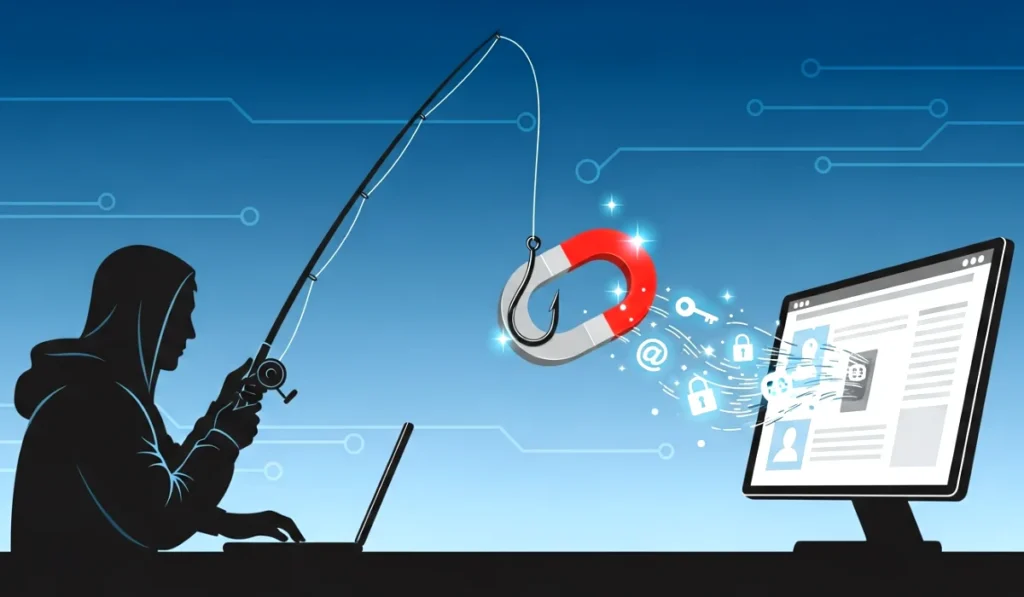
A phishing attack is a type of online scam where cybercriminals pretend to be someone you trust. They usually pose as banks, social media companies, online stores, delivery services, government agencies, or even your friends and coworkers. Their main goal is simple. They want to trick you into giving away sensitive information. That includes your passwords, credit card details, personal identity data, or full access to your device.
Think of phishing as fishing. A fisherman throws a bait hoping a fish will bite it. Similarly, scammers throw fake messages hoping someone will click the link or download the file. Your inbox becomes the pond, and the fake email becomes the bait.
Most phishing messages look extremely real now. They use company logos, similar layouts, and convincing language. That is why people fall for these attacks even if they think they are careful. Phishing has evolved from messy and obvious scams into sophisticated tricks that look almost professional. Scammers now use AI tools to write messages that sound natural and have perfect grammar.
But knowing what a phishing attack is already gives you power. Once you understand how it works, you hardly fall for it again.
You can also read : SQL Injection Explained: How Hackers Exploit Websites & How You Can Stop Them
How phishing attacks actually work
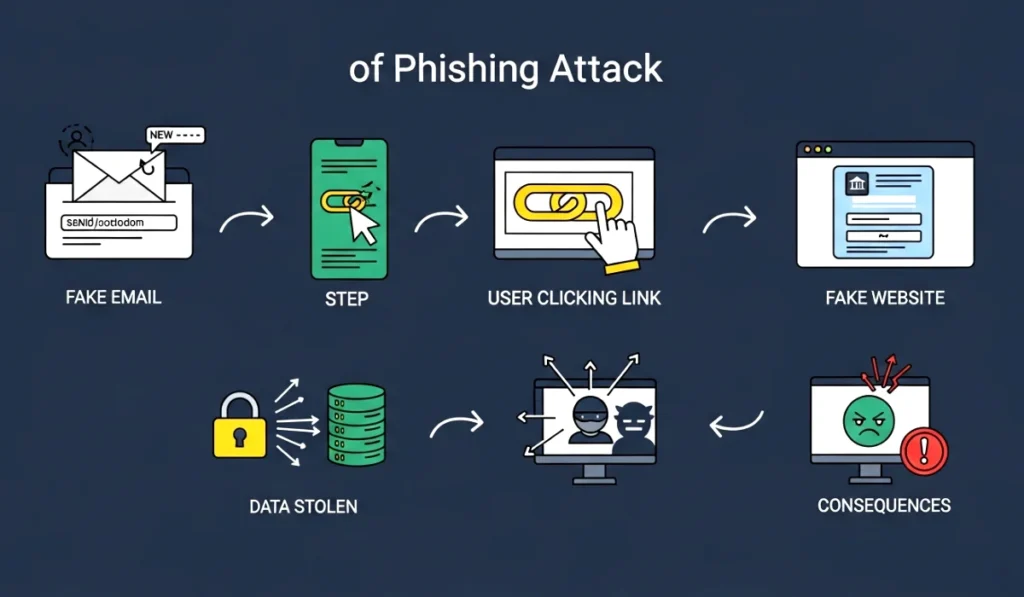
Phishing attacks follow a simple pattern, but the way scammers execute them can vary. Let’s break down how a typical phishing attack happens, step by step, so you can spot the red flags in real time.
Step 1. The scammer chooses a target
Sometimes phishing attacks target a large group of people like customers of a specific bank. Other times scammers target individuals using data collected from social media. If you ever posted your email publicly, there is a good chance it ended up in multiple spam lists without you knowing it.
Step 2. The attacker creates a fake message
This message could be an email, SMS, WhatsApp text, Telegram message, or even a direct message on social media. The scammer designs it to look real. They include:
• company logos
• official sounding language
• professional formatting
• fake but convincing links
Some even use your full name to make it feel genuine.
Step 3. They add a sense of urgency
This is where they catch most people. Attackers use emotional triggers like fear or panic. For example:
• Your account will be locked if you do not verify now
• You have won a reward claim it within 24 hours
• There is suspicious activity in your bank account
• Your package cannot be delivered until you confirm details
When you feel something important is at risk, your brain reacts quickly. Scammers count on that.
Step 4. The victim clicks or responds
Once you click the fake link, it takes you to a website that looks identical to the real one. The moment you enter your details, the scammer gets them instantly. In other cases, clicking the link installs malware on your device, giving attackers deeper access to your data.
Step 5. The attacker steals your information
With your stolen credentials, scammers may:
• log in to your accounts
• transfer money
• reset your passwords
• impersonate you
• sell your data on the dark web
This entire process can happen within minutes.
Understanding this step by step mechanism helps you stay sharp whenever you receive messages that look suspicious.
Simple real life phishing examples
Let me share some practical examples of phishing attacks so you can easily recognize them. These are real world scenarios most people encounter at least once.
1. Fake bank alert
You receive a message saying your bank account is frozen due to unusual activity. The email even includes your bank logo and a warning that your funds are at risk. The link asks you to enter your user ID and password. The scammer then logs in and drains your account.
2. Social media login scam
You get a text saying someone tried logging into your Instagram. The link takes you to a page that looks exactly like Instagram’s login screen. The moment you enter your details, the scammer takes over your account, changes your password, and may message your followers pretending to be you.
3. Delivery service scam
A message claims that your package is stuck because of incomplete address details. The scam urges you to click a link to confirm your information. Many people fall for this because everyone receives deliveries these days. It feels normal and urgent at the same time.
4. Fake job offer email
This one gets job seekers easily. You receive an offer from a company you applied to. The email asks you to download a PDF or fill a form to confirm your details. That file may contain malware that infects your device.
5. Tech support phishing
A caller or email tells you your computer has a virus and you need remote support. They convince you to install software that gives them full access to your device. Once they are in, they can steal files, copy passwords, or install harmful programs.
6. Friend or family impersonation
You get a message from someone claiming to be a relative saying they lost their wallet and need urgent money. This method often uses emotional pressure. Scammers even copy profile pictures to appear more realistic.
These examples show that phishing attacks are not limited to emails. They can show up anywhere and anytime.
Signs of a phishing attack you should never ignore
If you want to protect yourself, pay attention to these clear warning signs. Think of them like traffic signals that tell you when to stop immediately.
1. Spelling mistakes or weird grammar
Most official companies use professional writing. If the message sounds slightly off, stay cautious.
2. Unusual sender address
Sometimes the sender name looks correct, but when you check the email address closely, it reveals random characters or unfamiliar domains.
3. Urgent or threatening tone
Phrases like your account will be closed or immediate action required are red flags.
4. Unexpected attachments
If you did not request any files, do not open them. They can contain harmful programs.
5. Suspicious links
Always hover your mouse over a link before clicking. If the website URL looks unusual, do not open it.
6. Requests for sensitive information
Real companies never ask for your password, PIN, or OTP through email or text.
7. Offers that sound too good
If something feels unreal or unusually generous, be careful.
Once you learn these signs, your instinct becomes sharper. You begin noticing small things that feel off, and that alone can save you a lot of trouble.
Latest news : X’s ₹89 Birthday Deal: Is It a Steal or Just a Trial Trap
Smart ways to protect yourself from phishing attacks
Now that you know how phishing works and what signs to look for, let’s talk about prevention. Here are simple but highly effective ways to stay safe online without needing technical knowledge.
1. Always double check before clicking
Whenever you receive a message that sounds important, slow down. Take a moment to verify. Open the official app or website instead of clicking the message.
2. Enable two factor authentication
Two factor authentication adds an extra security layer. Even if someone gets your password, they cannot log in without the second code.
3. Use strong and unique passwords
Avoid using the same password everywhere. If one account gets hacked, all your accounts become vulnerable.
4. Update your devices regularly
Security updates fix vulnerabilities. Keeping your phone and computer updated protects you from many hidden dangers.
5. Never share OTP or PIN
No genuine company will ever ask for these codes. Treat them like your house keys.
6. Avoid connecting to random public WiFi
Public networks are easier for attackers to manipulate. Use mobile data for sensitive tasks like banking.
7. Use a password manager
It helps generate strong passwords and store them safely. You never have to remember them all again.
8. Educate yourself regularly
Cyber threats change fast. Stay updated through trusted websites or security blogs.
9. Verify sender identity
If a message claims to be from your bank or a friend, call them using their official phone number to confirm.
10. Scan attachments before opening
Use antivirus tools to check files that seem suspicious.
These small habits make a powerful shield against phishing attacks. You do not need complex software or technical skills. Just awareness and a little caution go a long way.
Final thoughts on staying safe from phishing attacks
A phishing attack is dangerous, but avoiding it is easier than you think. It all begins with awareness. The more you understand how scammers work, the less likely you become their victim. Remember, every message you receive online is either safe or a small trap waiting for a click. You just need to trust your instincts.
Whenever something feels off, pause for a second. Your gut often knows before your eyes do. And the moment you start identifying suspicious messages confidently, you protect not only yourself but also your family, friends, and coworkers who might not be as tech aware.
Stay curious, stay alert, and keep learning. If this guide helped you understand phishing attacks better, feel free to explore more cybersecurity tips. Share this article with someone who might need it today.


One Comment