
Simple Guide To Port Forwarding And When To Use It
Have you ever tried connecting to your home security camera from outside your flat and nothing worked You check the app, refresh it ten times, switch your mobile data on and off, yet all you see is a blank screen. Something similar happened to me years ago when I first installed a tiny security camera near my door. I thought it was plug and play. Spoiler alert. It was not.
A friend later told me the magic words that changed everything. Port forwarding. I remember staring at him thinking, what in the world is that But when I finally understood how it worked, I realized it was not scary at all. In fact, it is one of the simplest networking tricks that opens doors to many powerful possibilities.
If you have ever wondered what port forwarding is, why people use it, and how it works, this guide is tailor made for you. Grab a cup of tea and let us break everything down like we are two friends chatting on a weekend.
What Exactly Is Port Forwarding
Port forwarding sounds complicated, but trust me, the idea is very simple. Think of your home network like an apartment building. Your router is the main security gate. All incoming traffic from the internet arrives at this gate. But inside the building, there are many flats. These are your devices such as your computer, gaming console, security camera, smart TV and so on.
Now imagine a visitor wants to reach a specific flat. If there is no instruction at the gate, the security guard will have no idea where to send the visitor. Port forwarding is like giving the security guard a direct instruction. If someone knocks on port number X, send them to device Y.
In even simpler words, port forwarding tells your router which device should receive which kind of traffic.
For example
If someone tries to access your camera feed
Send them to your camera inside the network
If your game needs outside players to connect
Send them to your gaming device
This is why port forwarding is used for things like gaming, remote access, servers and smart devices.
Why Do We Even Need Port Forwarding
To understand why port forwarding is needed, we have to understand a tiny thing about routers. Your router hides all your devices behind a single public IP address. This is a good thing. It keeps your devices safe and private.
But the problem is this. If everything is hidden, outside traffic does not know which device to reach. That is where port forwarding comes into the picture.
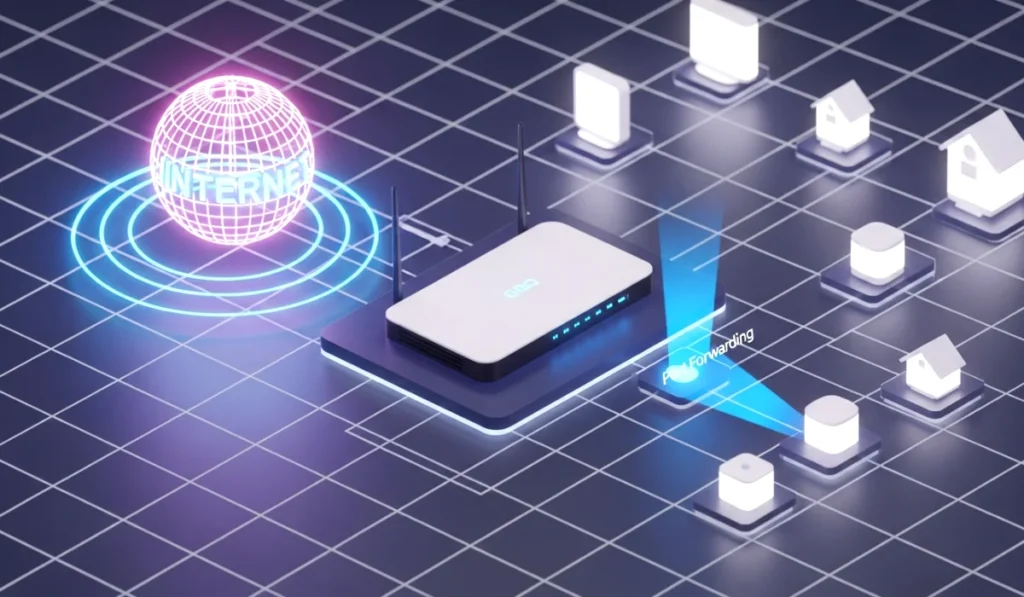
It is basically a controlled doorway that allows specific traffic to reach a specific device.
Here are some situations where you will definitely need port forwarding.
- when you host online games
- when you want to access CCTV or IP cameras remotely
- when you run a website or server from home
- when you use remote desktop from outside
- when you run smart home tools that require outside access
- when you use peer to peer applications like torrents
If any of the above apply to you, port forwarding becomes extremely helpful.
How Port Forwarding Actually Works Explained Like A Friend
Let us understand the process step by step, but in simple everyday language instead of technical jargon.
Step 1. You choose a port number
A port is simply a number that identifies a type of service. For example
Port 80 often means website traffic
Port 443 means secure website traffic
Port 22 means secure remote login
Games also use specific ports
So you pick a port based on what your device or app needs.
Step 2. You choose the local device
This is usually the device inside your house. It could be your PC, your gaming console, your camera or your mini server.
Step 3. You tell the router to forward outside traffic on that port to your chosen device
This creates a clean pathway for data to reach the correct device.
Think of it like telling your router
If anyone knocks on port 5000
Send them to my PC at 192 dot 168 dot 1 dot 10
Now your router knows exactly what to do.
you can also read : Recognizing Phishing Emails With Real Life Examples
Common Real Life Uses Of Port Forwarding
Let us talk about the situations where I personally used port forwarding and where most beginners use it.
1. Online Gaming With Friends
Many online games require open ports so that other players can join your game. Without port forwarding, they get connection errors. I remember struggling with this while hosting a Minecraft server once. After forwarding the correct port, everything worked like magic.
2. Accessing CCTV Or IP Cameras Remotely
If you want to check your home camera while you are outside, port forwarding is essential. Without it, the app will never reach your camera through the internet.
3. Running A Local Server
Maybe you want to host a small website, a Plex media server, a private cloud, or even a game server. Port forwarding allows others to connect to your server from outside your home.
4. Smart Home Devices
Some smart home systems require remote access. Lights, sensors, alarms or doorbells may need port forwarding so that you can control them even when you are away.
5. Remote Desktop Or Remote Work
If you want to control your PC at home from your office or while traveling, port forwarding makes that possible.
6. Peer To Peer Applications
Some apps like torrent clients work faster when the necessary ports are open.
Is Port Forwarding Safe Or Risky
This is an important question. When you forward a port, you are opening a small door in your router. This door is safe as long as the device behind it is secure. But if the device has weak passwords or outdated software, it can become a risk.
Here are some safety tips.
- always use strong passwords
- keep your device updated
- avoid forwarding ports for unknown apps
- disable unused forwarded ports
- consider using VPN based port forwarding for extra security
Port forwarding is completely safe when used responsibly.
Static IP And Why You Need It For Port Forwarding
Another small but important piece is the static IP. When you forward a port, you choose a specific device. But if that device keeps changing its internal IP address, the port rule will break.
A static IP fixes this problem. It is like giving your device a permanent address inside your home network.
Most routers allow you to set a static IP in their settings. It takes just one or two minutes.
UPnP And Why People Use It Instead Of Manual Port Forwarding
UPnP stands for Universal Plug and Play. It is a feature that allows apps to create port forwarding rules automatically. Many games and apps use this.
Pros
Very easy
No manual setup
Works automatically
Cons
Less control
Sometimes risky if unknown apps open ports
If you trust the apps in your home network, UPnP can save a lot of time.
How To Set Up Port Forwarding Step By Step Simple Language
Every router is different, but the process is similar in most cases.
Step 1. Login to your router
Open your browser and type something like
192 dot 168 dot 1 dot 1
192 dot 168 dot 0 dot 1
Enter username and password.
Step 2. Find the Port Forwarding option
It might be under
Advanced settings
NAT forwarding
Firewall
WAN settings
Step 3. Add a new rule
You will see things like
Port range
Protocol
Local IP
Local port
Just fill them in as required by your device or app.
Step 4. Save the settings and restart the router
After saving, check if the port is open using online tools.
That is it. The process is much easier than it sounds.
When Should You Actually Use Port Forwarding
This part is important because many people think they need port forwarding even when they do not.
Use port forwarding when
- you want others to connect to your device
- you want remote access to a camera or server
- your game requires open ports
- your smart home device demands remote visibility
- you host files or media for personal use
Do not use port forwarding when
- you only browse the internet
- you only watch YouTube or Netflix
- all apps work fine without it
- you are not comfortable opening ports
In short, only use port forwarding when something specifically requires it.
Advantages Of Port Forwarding
- remote access becomes easier
- better gaming experience
- smart home devices work smoothly
- servers run more effectively
- saves time and improves connectivity
Disadvantages Of Port Forwarding
- can expose devices if not secured
- requires technical understanding
- router settings differ from brand to brand
But most disadvantages vanish if you follow proper security practices.
Conclusion
Port forwarding may sound technical, but once you understand the logic, it is actually very simple. It is just a way of telling your router where to send specific traffic. If you host games, run cameras, use servers, or want remote access to your home network, port forwarding becomes incredibly useful.
The next time someone mentions ports or networking or you face issues accessing a device from outside, you will know exactly what to do. Start with the basics, follow the steps, and slowly you will become comfortable with the entire process.
If you found this guide helpful, try exploring your router settings today. Once you learn the basics, it feels surprisingly empowering.
I really like how you framed port forwarding like an apartment building—it’s a great way to make the idea less intimidating. One thing that often surprises people is how many smart-home devices still rely on it when they don’t support modern cloud-based access. It’s definitely one of those concepts you don’t think about until you suddenly need remote access and nothing works.